

Column Filter Table with htmx, Alpine-js, and Django

Have you ever needed to create a table where you need to filter between multiple columns? Maybe you've tried using a standard table with a single search/filter input field, but it didn't quite work the way you wanted.
This article will show how I build a table with a multi-column filter. The table I am going to implement looks like this:
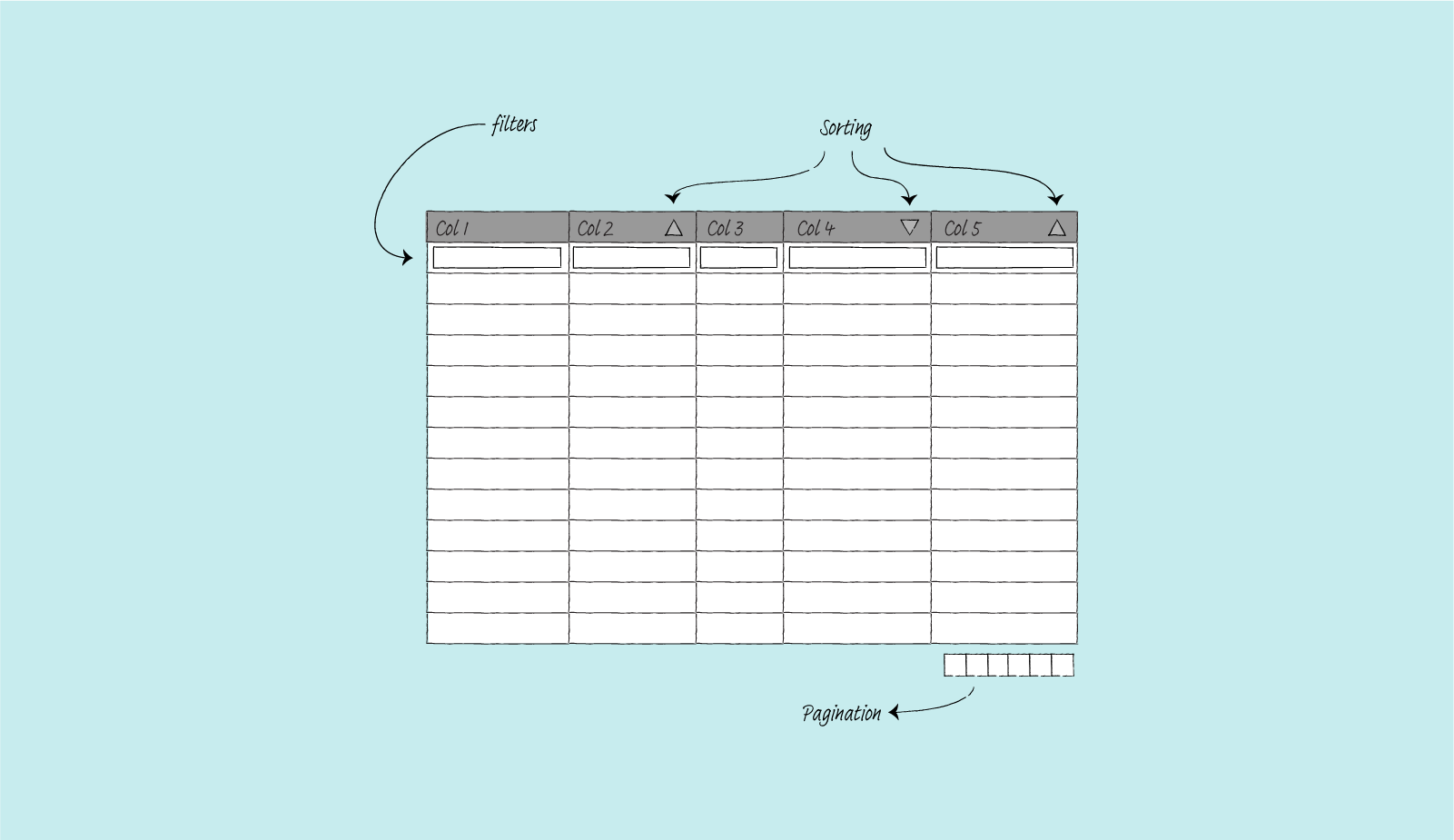
As a side note, this article builds on the previous article, where I create a simple table using Django and htmx; I won't revisit how htmx work. Now, let's get started.
The Packages Used For This Project
- htmx.
htmxgives access to using AJAX directly in HTML, using attributes. It is simple and, for a package this small, quite powerful. - django-tables2. This Django app lets you define tables like you define Django models. It can automatically generate a table based on a Django model. It supports pagination, column-based table sorting, custom column functionality via subclassing, and many other features.
- django-filter. I use this package for the filtering functionality. It has APIs similar to Django's
ModelFormand works well withdjango-tables2. - django-htmx. For
htmxto work, Django view needs to tell which request is made usinghtmxand which is not. It has a middleware that addshtmxattribute to a request object. - Alpine-js. This project requires a more complex behavior,
htmxalone will not be enough. Specifically, the table needs to make sorting, pagination, and filtering work together nicely. This is whereAlpine-jscomes in. This small javascript package allows me to store data and trigger action based on changes happening to a variable.
The Model
The model I use for this project is as follows:
# products/models.py
from django.db import models

class Product(models.Model):
    class Status(models.IntegerChoices):
        ACTIVE = 1, "Active"
        INACTIVE = 2, "Inactive"
        ARCHIVED = 3, "Archived"

    name = models.CharField(max_length=255)
    category = models.CharField(max_length=255)
    price = models.DecimalField(max_digits=10, decimal_places=2)
    cost = models.DecimalField(max_digits=10, decimal_places=2)
    status = models.PositiveSmallIntegerField(choices=Status.choices)

    def __str__(self):
        return self.name
The Table
The table is straightforward to set up. The show_header is set to False because I put the table header, which includes columns name, in a separate template. I will discuss this further in the template section below.
# products/tables.py
import django_tables2 as tables
from products.models import Product

class ProductHTMxMultiColumnTable(tables.Table):
    class Meta:
        model = Product
        show_header = False
        template_name = "tables/bootstrap_col_filter.html"
The Filter
The filter I use is as follows:
# products/filters.py
from decimal import Decimal

from django.db.models import Q
from django.forms import TextInput
import django_filters

from products.models import Product


class ProductFilter(django_filters.FilterSet):
    id = django_filters.NumberFilter(label="")
    name = django_filters.CharFilter(label="", lookup_expr="istartswith")
    category = django_filters.CharFilter(label="", lookup_expr="istartswith")
    price = django_filters.NumberFilter(label="", method="filter_decimal")
    cost = django_filters.NumberFilter(label="", method="filter_decimal")
    status = django_filters.ChoiceFilter(label="", choices=Product.Status.choices)

    class Meta:
        model = Product
        fields = ["id", "name", "category", "price", "cost", "status"]

    def filter_decimal(self, queryset, name, value):
        # For price and cost, filter based on
        # the following property:
        # value <= result < floor(value) + 1

        lower_bound = "__".join([name, "gte"])
        upper_bound = "__".join([name, "lt"])

        upper_value = math.floor(value) + Decimal(1)

        return queryset.filter(**{lower_bound: value,
                                  upper_bound: upper_value})
The View
The view will send out a full page when the request is not made by htmx and send partial results when the request is made by htmx.
# products/views.py
from django.core.paginator import Paginator, EmptyPage

from django_tables2 import SingleTableMixin
from django_filters.views import FilterView

from products.models import Product
from products.tables import ProductHTMxMultiColumnTable
from products.filters import ProductFilter


class CustomPaginator(Paginator):
    def validate_number(self, number):
        try:
            return super().validate_number(number)
        except EmptyPage:
            if int(number) > 1:
                # return the last page
                return self.num_pages
            elif int(number) < 1:
                # return the first page
                return 1
            else:
                raise


class ProductHTMxMultiColumTableView(SingleTableMixin, FilterView):
    table_class = ProductHTMxMultiColumnTable
    queryset = Product.objects.all()
    filterset_class = ProductFilter
    paginate_by = 10
    paginator_class = CustomPaginator

    def get_template_names(self):
        if self.request.htmx:
            template_name = "products/product_table_partial.html"
        else:
            template_name = "products/product_table_col_filter.html"

        return template_name
I also add a CustomPaginator to handle an edge case in pagination. Specifically, this is to handle a case where for instance:
- A user selects a valid page 8
- The user then uses the filter
- Because the result of the filter is less than 8 pages long,
Djangothen raises 404.
Here I can choose to use a different template when Django raises 404. But I am not sure if it is desirable. The template will not have any pagination information. I think this will confuse users since they would not know that the empty page results from an invalid page and filtering, rather than just filtering.
So, when a user filter and the page is invalid, I simply return either the last page or the first page of the filtering result.
The Template
There are three templates in play here:
- A template to render the whole page. Where I generate the page with HTML header and body and the table.
- A template to render only the table. When we perform some action like sorting or filtering, we only need to render the partial page.
- Custom table template to override the default. I need to remove the table definition. And add some
Alpine-jsattributes for the pagination to work.
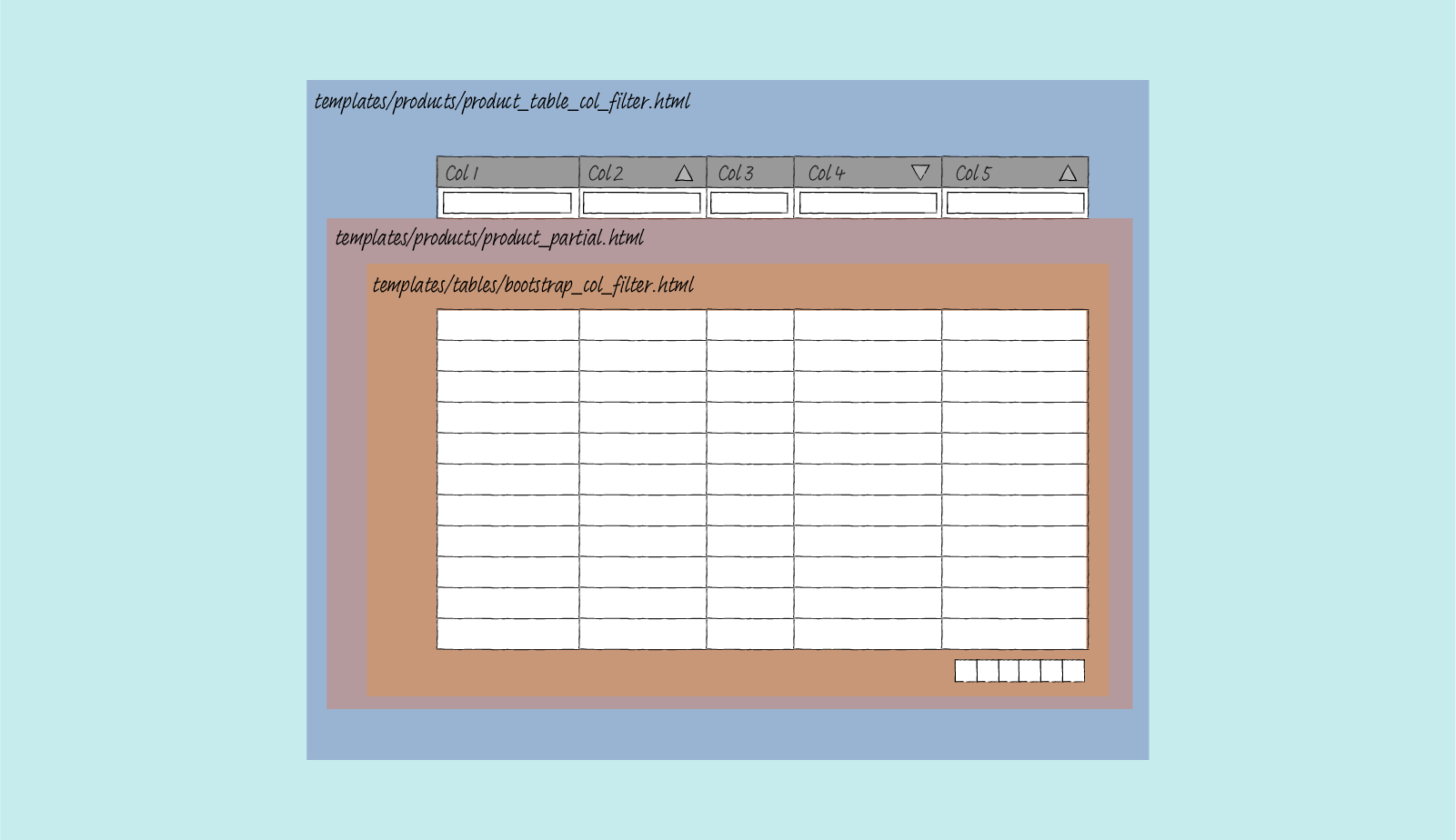
Template to Render the Entire Page
For this project, I put the table header and filter form on this page. Here I define two extra hidden input fields. The sort and page input. When a user performs an action, be it sorting, jumping between pages, or filtering, I will submit all three pieces of information back to the server.
To make this happens, I need to use Alpine-js. Here is the summary of how it works:
- When a user sorts a table by clicking on a column header, the value of the
sort_bythat I define in thex-datagets updated viatogglefunction. This also changes thesortinput value because this is linked through the use ofx-model. To toggle between the ascending or descending arrow, I use:classin the column header. - I use
x-initto watch if the input value forsorthas changed or not. When the value changes, I send out a custom event calledsort-initiated. - Since I have specified that custom event in the
hx-triggerattribute, when this custom event is made,htmxwill submit the whole form, which contains information on the filter, the sorting, and the pagination.
{# templates/products/product_table_col_filter #}
{% extends "base.html" %}

{% load render_table from django_tables2 %}
{% load i18n %}
{% load django_tables2 %}
{% load crispy_forms_tags %}

{% block multi_htmx_table %}active{% endblock %}

{% block main %}
<h1>Product table</h1>

<div id="table-container" class="table-container">

    <form class="form-inline"
          hx-get="{% url 'tables:products_htmx_multicol' %}"
          hx-target=".table-body-container"
          hx-trigger="input, select, sort-initiated, pagination-initiated"
          hx-swap="outerHTML"
          hx-indicator=".progress"
          x-data="{ sort_by: '', page_by: 1 }">

        <input type="hidden" name="sort" x-ref="sort_input" x-model="sort_by"
                x-init="$watch('sort_by',
                        () => $refs.sort_input.dispatchEvent(
                                new Event('sort-initiated', { bubbles: true })))">

        <input type="hidden" name="page" x-ref="paginate_input" x-model="page_by"
               x-init="$watch('page_by',
                        () => $refs.paginate_input.dispatchEvent(
                                new Event('pagination-initiated', { bubbles: true })))" >

        <table {% render_attrs table.attrs class="table multi-col-header" %}>
            <thead {{ table.attrs.thead.as_html }}>
                <tr>
                    {% for column in table.columns %}
                    <th {{ column.attrs.th.as_html }}
                        x-data="{ col_name: '{{ column.order_by_alias }}',
                                  toggle(event) {
                                    this.col_name = this.col_name.startsWith('-') ? this.col_name.substring(1) : ('-' + this.col_name);
                                    sort_by = this.col_name;}}"
                        @click="toggle()"
                        :class="sort_by !== '' ? (sort_by === col_name ? (sort_by.startsWith('-') ? 'desc' : 'asc') : '') : ''"
                        style="cursor: pointer;">
                        {{ column.header }}
                    </th>
                    {% endfor %}
                </tr>
                <tr>
                    {% for field in filter.form %}
                    <td>{{ field|as_crispy_field }}</td>
                    {% endfor %}
                </tr>
            </thead>
        </table>

        <div class="progress">
            <div class="indeterminate"></div>
        </div>

        {% render_table table %}
    </form>
</div>
{% endblock %}
Template to Render Table
Here we only render the table content, no HTML header, no HTML body. Just the content.
{# templates/products/product_table_partial.html #}
{% load render_table from django_tables2 %}

{% render_table table %}
Template to Override the Default Table
This template overrides the default table from django-tables2. On this template, I render the table body and pagination information. The pagination works like sorting. When a user triggers any pagination action, the page_by variable in x-data gets updated, which changes the value of page input because it is linked via x-model. Which creates a custom event pagination-initiated. Which then tells htmx to send the complete form with all sorting, pagination, and filtering information back to the server.
{# templates/tables/bootstrap_col_filter.html #}
{% load django_tables2 %}
{% load i18n %}
{% block table-wrapper %}
<div class="table-body-container">
{% block table %}
<table {% render_attrs table.attrs class="table" %}>
{% block table.thead %}{% endblock table.thead %}
{% block table.tbody %}
<tbody id="body-target" {{ table.attrs.tbody.as_html }}>
{% for row in table.paginated_rows %}
{% block table.tbody.row %}
<tr {{ row.attrs.as_html }}>
{% for column, cell in row.items %}
<td {{ column.attrs.td.as_html }}>{% if column.localize == None %}{{ cell }}{% else %}{% if column.localize %}{{ cell|localize }}{% else %}{{ cell|unlocalize }}{% endif %}{% endif %}</td>
{% endfor %}
</tr>
{% endblock table.tbody.row %}
{% empty %}
{% if table.empty_text %}
{% block table.tbody.empty_text %}
<tr><td colspan="{{ table.columns|length }}">{{ table.empty_text }}</td></tr>
{% endblock table.tbody.empty_text %}
{% endif %}
{% endfor %}
</tbody>
{% endblock table.tbody %}
{% block table.tfoot %}
{% if table.has_footer %}
<tfoot {{ table.attrs.tfoot.as_html }}>
<tr>
{% for column in table.columns %}
<td {{ column.attrs.tf.as_html }}>{{ column.footer }}</td>
{% endfor %}
</tr>
</tfoot>
{% endif %}
{% endblock table.tfoot %}
</table>
{% endblock table %}
{% block pagination %}
{% if table.page and table.paginator.num_pages > 1 %}
<nav aria-label="Table navigation">
<ul class="pagination justify-content-end">
{% if table.page.has_previous %}
{% block pagination.previous %}
<li class="previous page-item" role="button">
<div @click="page_by = {{table.page.previous_page_number}}"
class="page-link">
<span aria-hidden="true">«</span>
{% trans 'previous' %}
</div>
</li>
{% endblock pagination.previous %}
{% endif %}
{% if table.page.has_previous or table.page.has_next %}
{% block pagination.range %}
{% for p in table.page|table_page_range:table.paginator %}
<li class="page-item{% if table.page.number == p %} active{% endif %}" role="button">
<div class="page-link" {% if p != '...' %}@click="page_by={{p}}"{% endif %}>
{{ p }}
</div>
</li>
{% endfor %}
{% endblock pagination.range %}
{% endif %}
{% if table.page.has_next %}
{% block pagination.next %}
<li class="next page-item user-select" role="button">
<div @click="page_by = {{table.page.next_page_number}}" class="page-link">
{% trans 'next' %}
<span aria-hidden="true">»</span>
</div>
</li>
{% endblock pagination.next %}
{% endif %}
</ul>
</nav>
{% endif %}
{% endblock pagination %}
</div>
{% endblock table-wrapper %}
The Result
This is what it looks like in the end.
Sorting 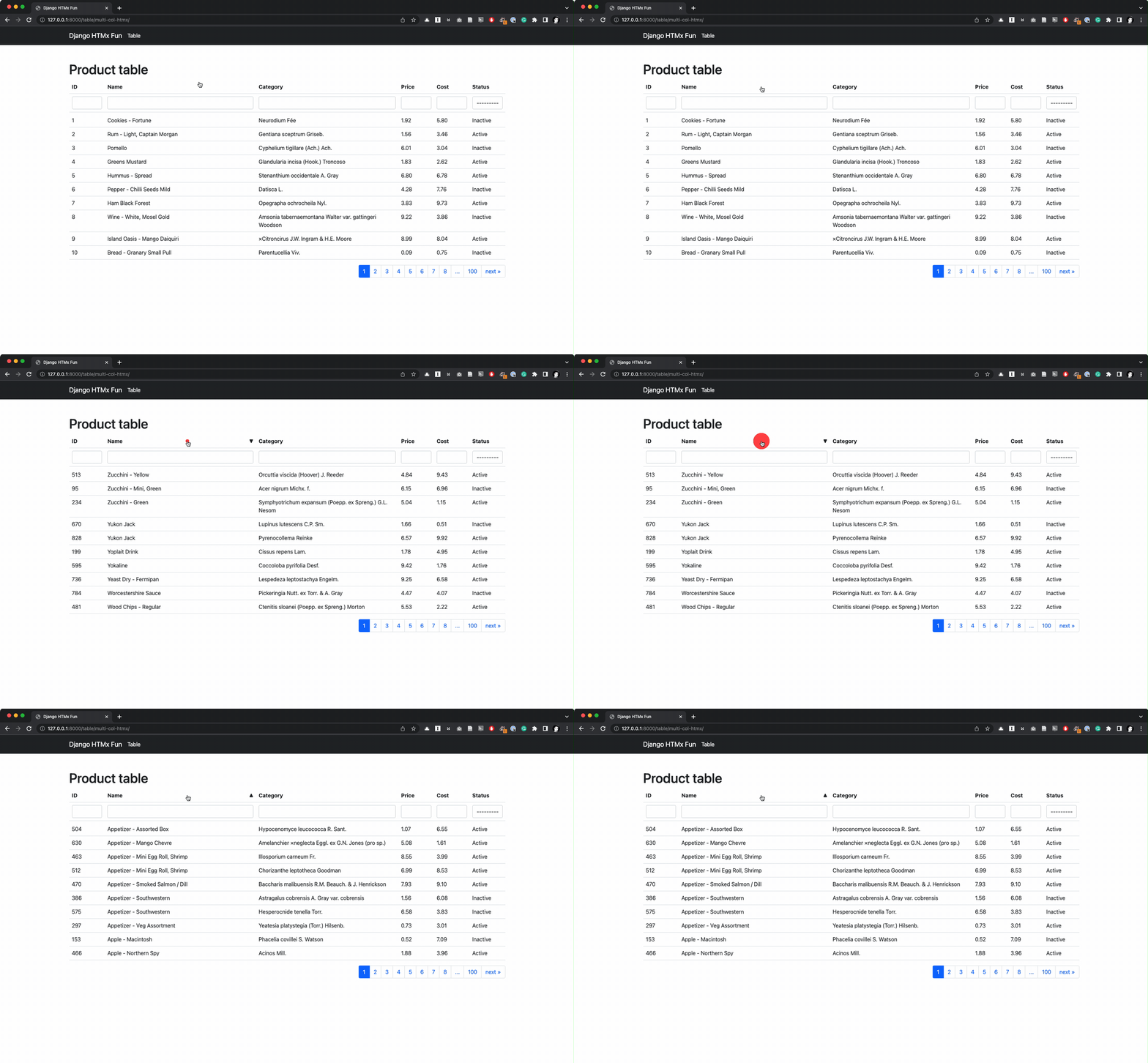 | Pagination 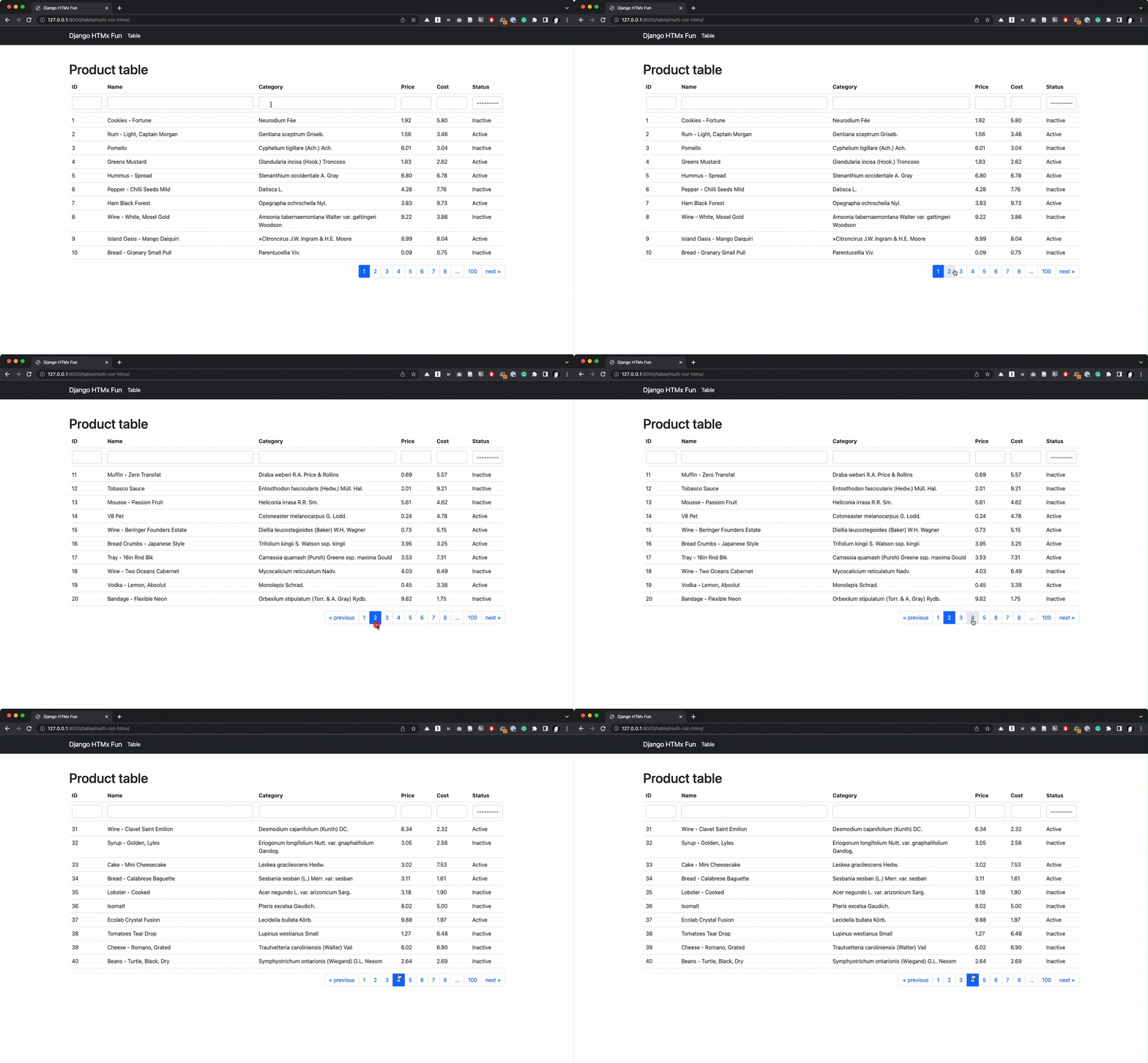 |
Filtering 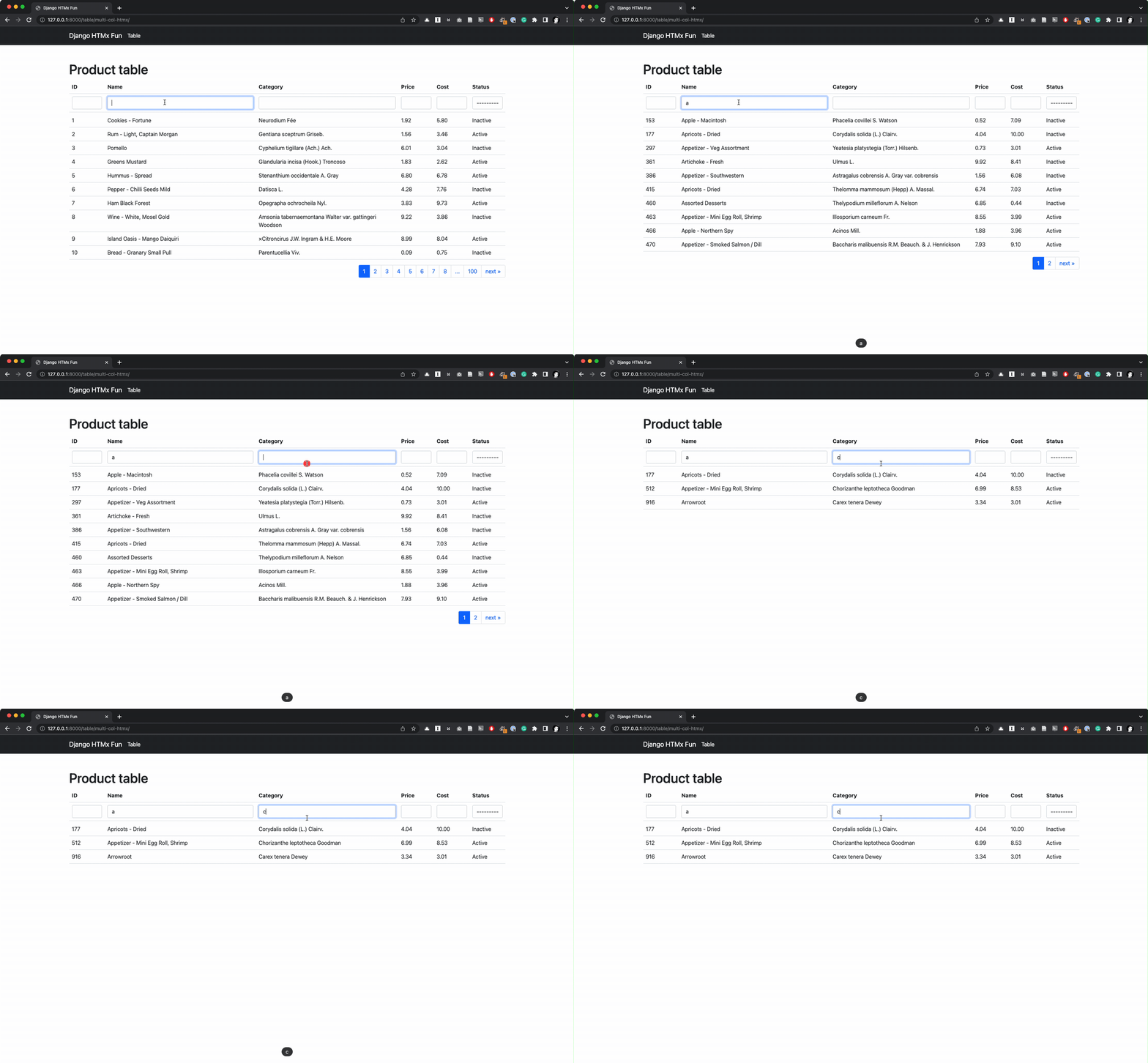 | Progress Bar 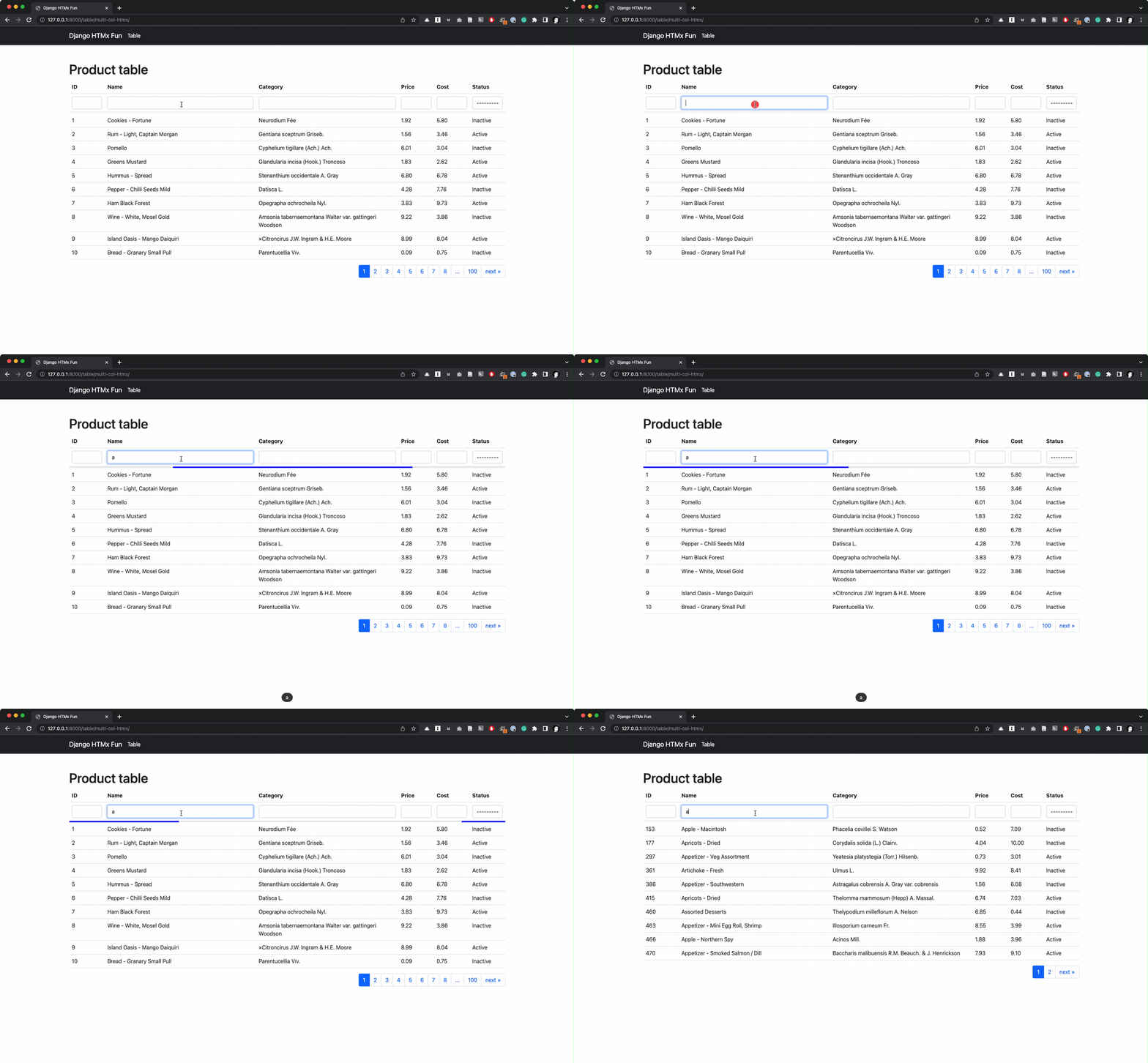 |
All actions 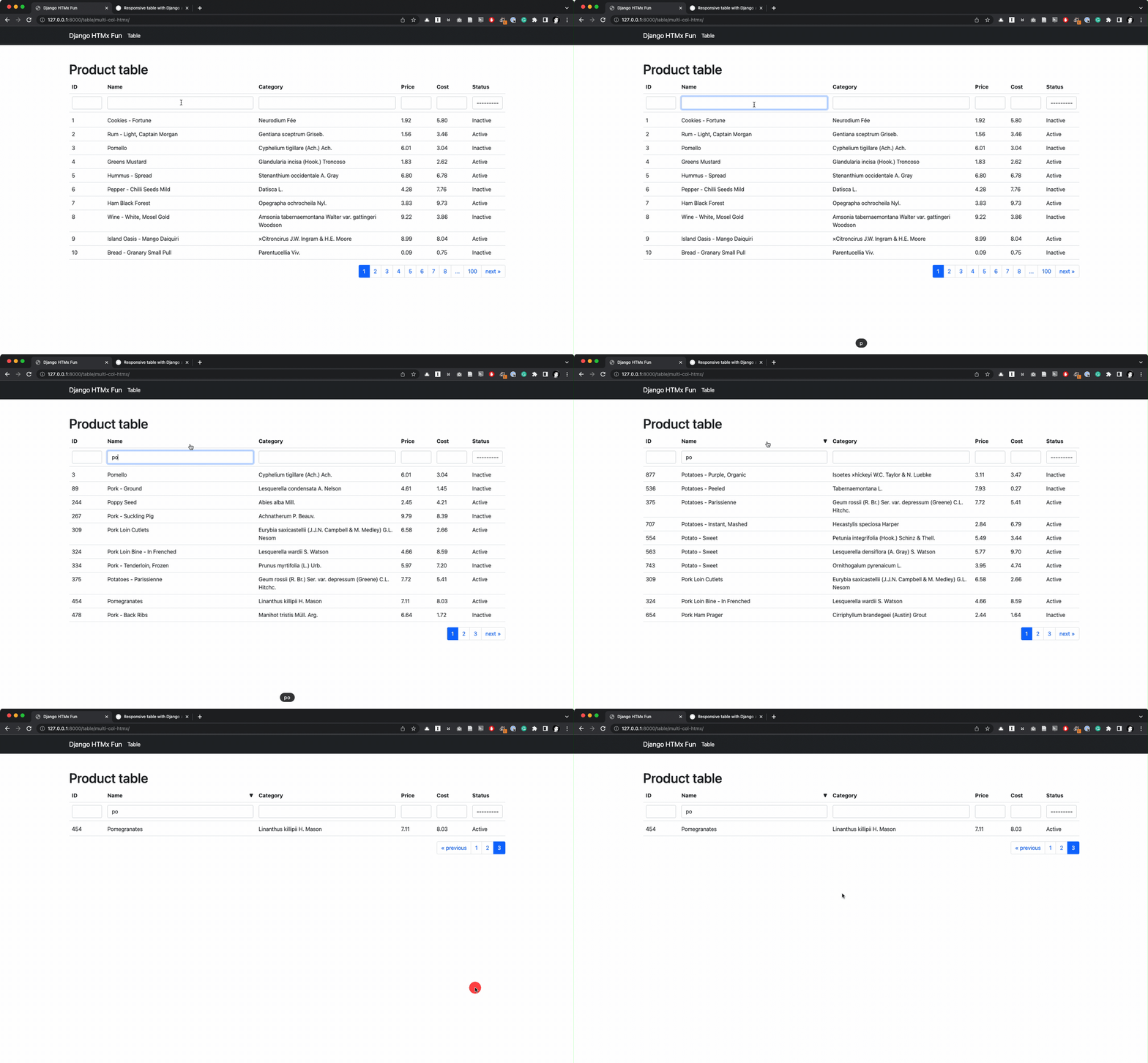 |
Summary
In this article, I explore how to use Django, htmx to build a slightly more complex table. For a more complex behavior, htmx alone is not enough. This is where I use Alpine-js. With Alpine-js I built a table with a multi-column filtering feature. It is pretty straightforward to make. I hope you find this article helpful.
In the future, I will explore how to build an even more complex table with features like complex filters, column selection, and saved filters.
Comments
Join the discussionHi,
Thanks for source. I have a problem with css in my project. When i change the .table-container td:nth-child(x), table width body change but not header and filter in the template "_table_col_filter.html" .
thanks
Hello, same issue here. The rows with data in them aren't aligning with the headers. Any suggestions?
Sam Hausmann hi, for me,the problem came from the version of boostrap that I had used. boostrap 5 instead of 4
Hello Dear,
i am really impressed by this article of you and i was thinking about you sharing the source code of this article. and how to add another custom column with action buttons like edit delete and so on.
You can look at the source code at the following GitHub repo: https://github.com/joashxu/dj-htmx-fun.
Hope it helps.
Thank You Dear Joash Xu


